Services / Software / Web applications

02 · Software

Web applications

Your daily work, turned into simple software.

Many companies still run on spreadsheets and long email chains. We replace them with an online system that fits the way your team already works: customer portals, approval systems, billing, HR and back-office tools. It works in Arabic and English, and every change is recorded.

1,188automated checks run before each PlanMyLeave release
7languages in ClinicLedger's invoices, Arabic included
2people needed to approve a sensitive change
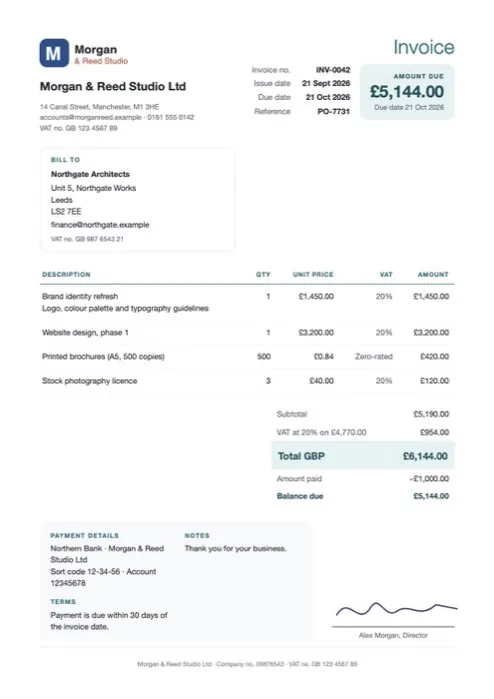
app.clinicledger.com/dashboard
ClinicLedger dashboard (placeholder screenshot)
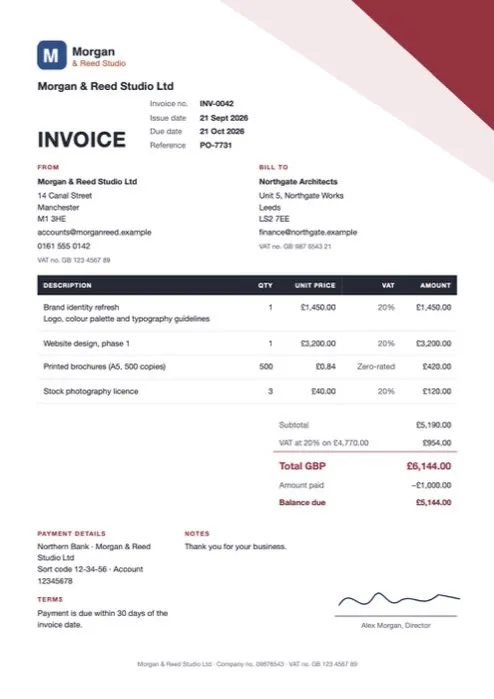
عربي
ClinicLedger invoice builder in Arabic (placeholder screenshot)
✓
Payment recordedAccount balanced · statement sent
2
Second approval neededBank details changed for 1 person
A

Fewer emailsRequests, approvals and reminders in one place, instead of long email chains.
app.planmyleave.com/approvals
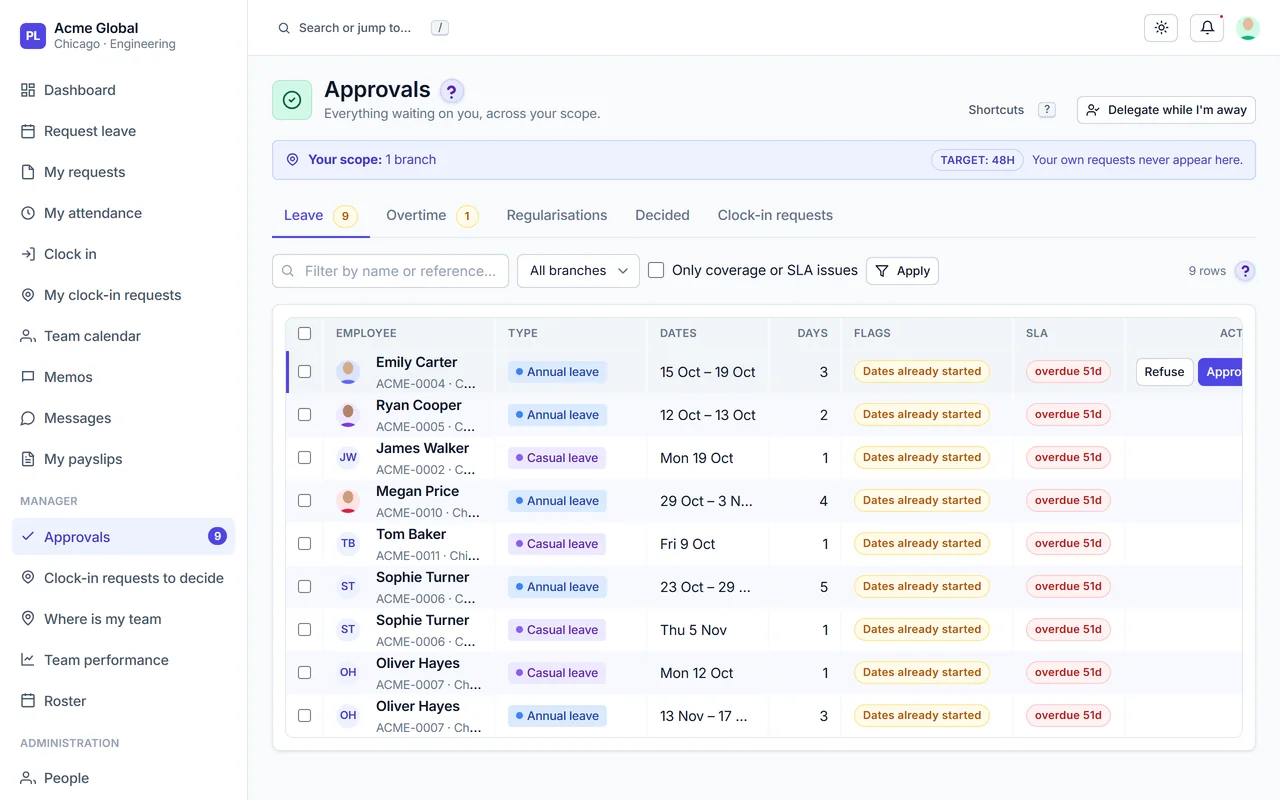
PlanMyLeave approvals (placeholder screenshot) 123
4

Shown: PlanMyLeave approvals. Product names may change.

A · Workflows

Requests that reach the right person

And nothing waits without anyone knowing.

Leave, purchases, overtime, site access, expense claims: much of a company's admin is one person asking and another deciding. We turn this into simple steps that follow your company structure, so each request reaches the right person, even when someone is away.

  • 1Each manager sees their own team. With a target time on every request.
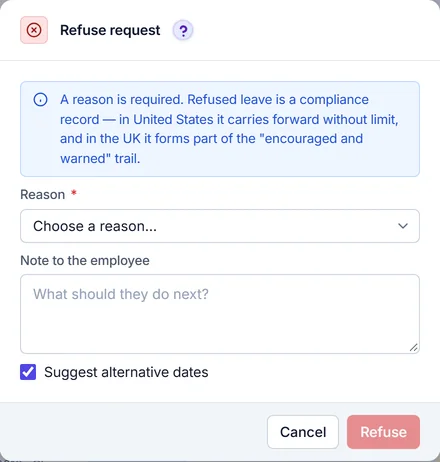
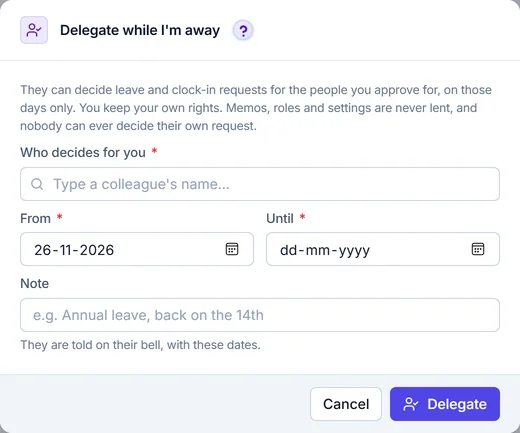
  • 2Cover while you are away. Pass your approvals to a colleague for a set time. They come back to you on their own.
  • 3Requests move up when they wait too long. And the person who asked can see where it is.
  • 4Helpful refusals. A reason is needed, and the manager can suggest other dates.
B

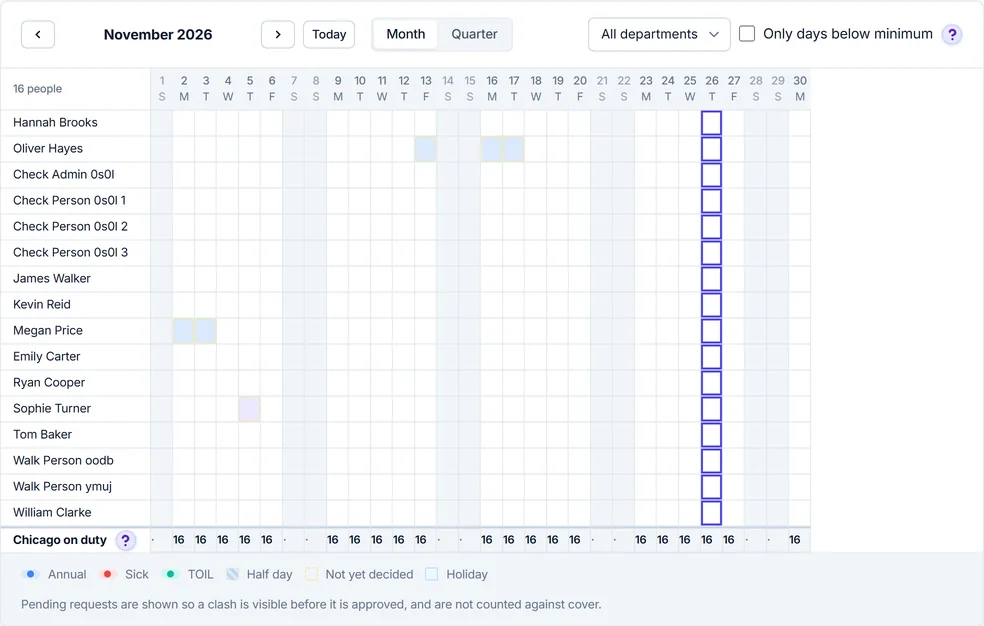
At a glanceEach person sees the numbers that matter to them the moment they sign in.

app.clinicledger.com/dashboard
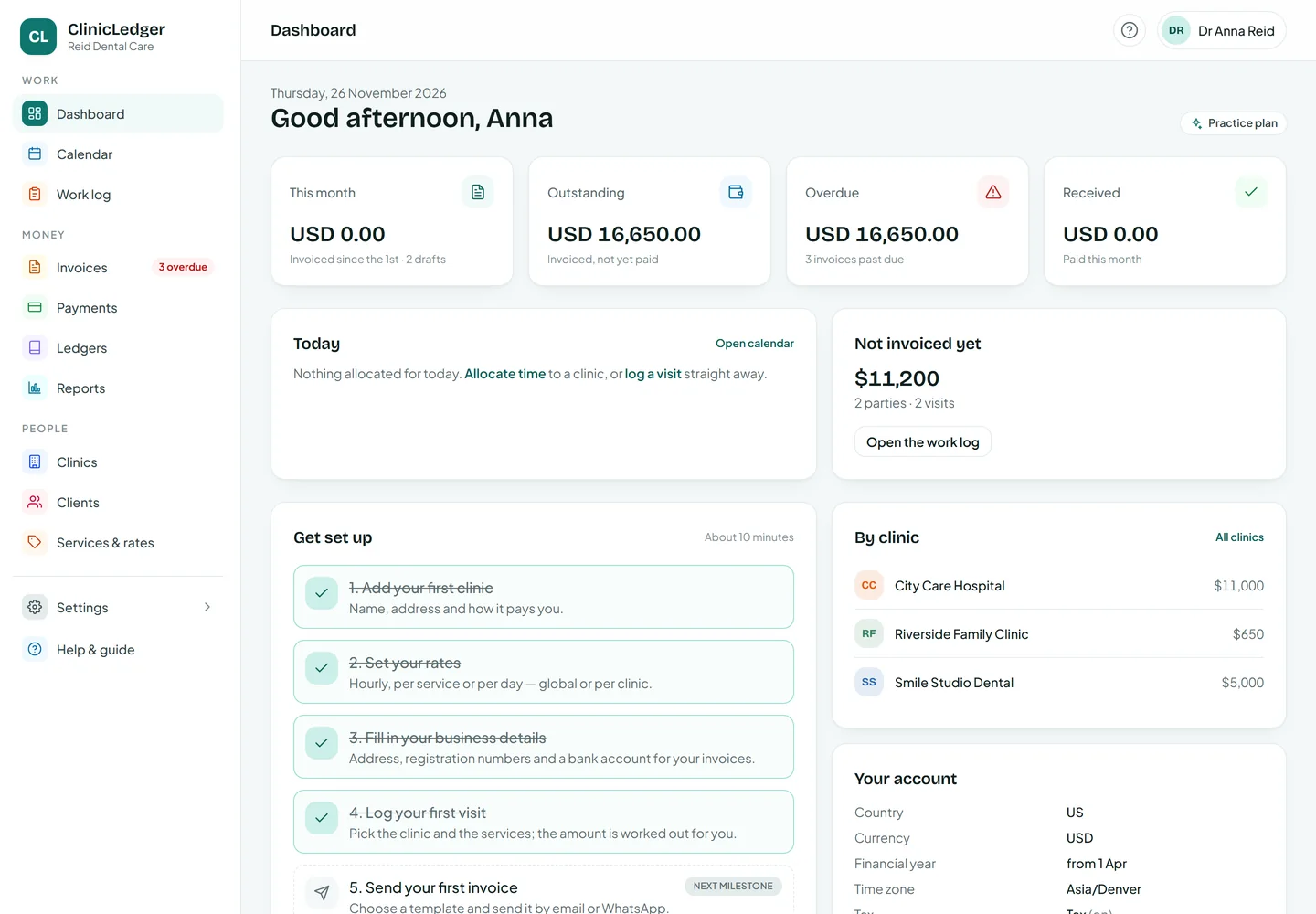
ClinicLedger dashboard (placeholder screenshot) 1234

Shown: ClinicLedger's dashboard, with PlanMyLeave's team calendar in front.

B · Dashboards

Dashboards people actually use

The day's numbers, first thing in the morning.

A good dashboard answers the question each person has when they start work. Ours show the few numbers that matter for each role, and one click takes you to the records behind them.

  • 1What needs your attention today. Due, overdue and waiting, before anything else.
  • 2One click to the details. Every number opens the list behind it.
  • 3Help for new users. A short checklist guides a new customer through the first ten minutes.
  • 4Badges in the menu. The menu itself shows what is overdue.
C

Arabic and EnglishScreens and PDF documents work properly in both languages.

app.clinicledger.com/invoices/new · عربي
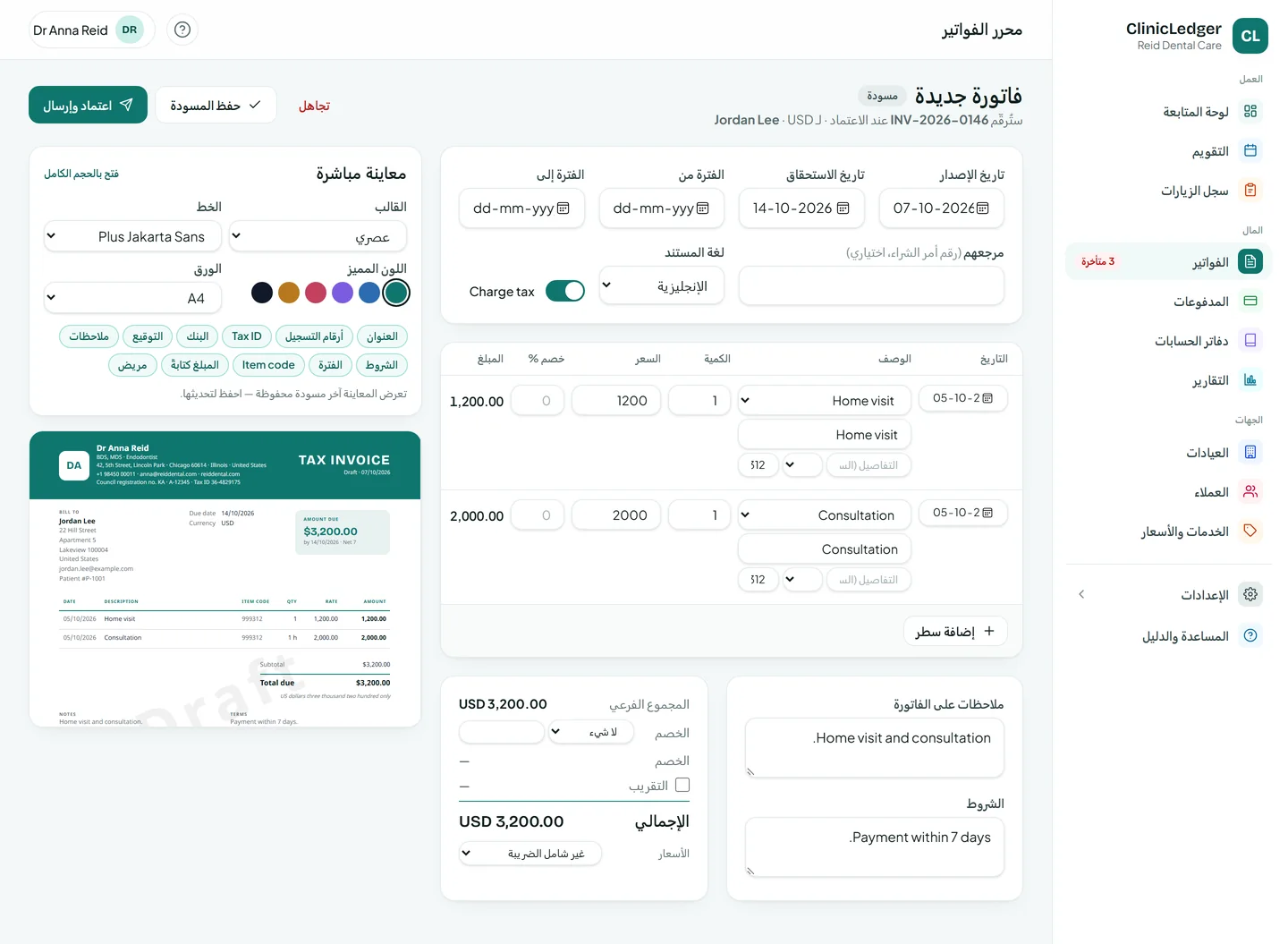
ClinicLedger invoice builder in Arabic (placeholder screenshot) 1234

Shown: ClinicLedger's invoice builder, with the screen in Arabic.

C · Documents

Documents that look right

Invoices, payslips and statements your clients will not question.

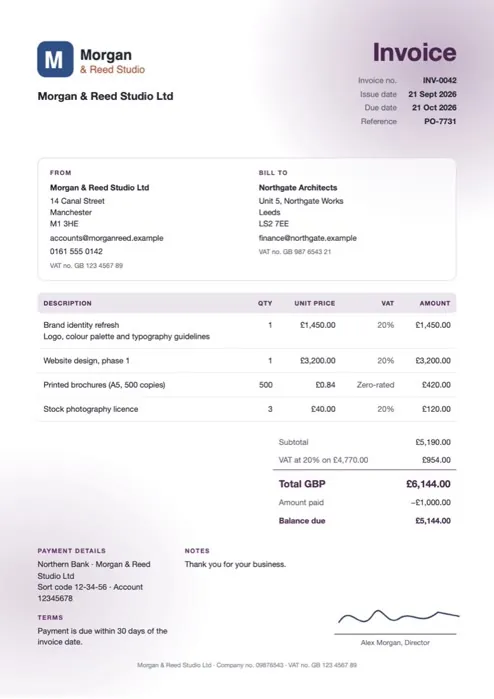
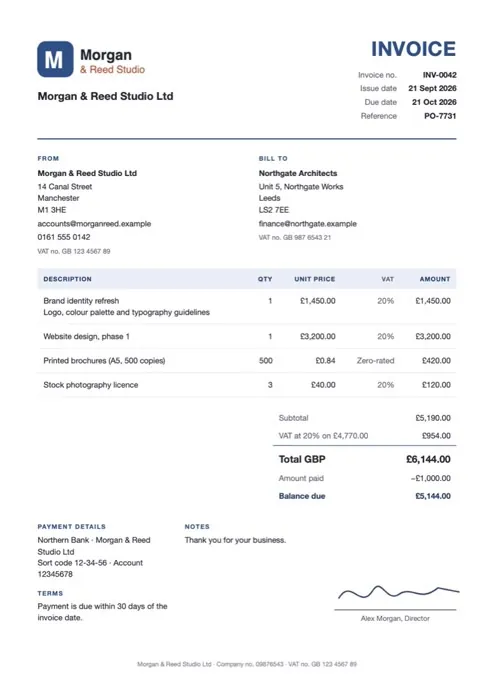
Often the PDF is the only part of your system a customer ever sees. We design it with care: clear layout, your brand, totals that always add up, and correct Arabic, inside the PDF too.

  • 1Full Arabic screens. Right-to-left layouts, and Arabic fonts in every PDF.
  • 2Live preview. The document changes as you type, exactly as it will print.
  • 3Choose the document language. Work in Arabic and send in English, or the other way round.
  • 4Your colours, eight designs. Pick one, then add your logo and signature.
D

Safe by designA second person approves sensitive changes, and the record is locked every night.

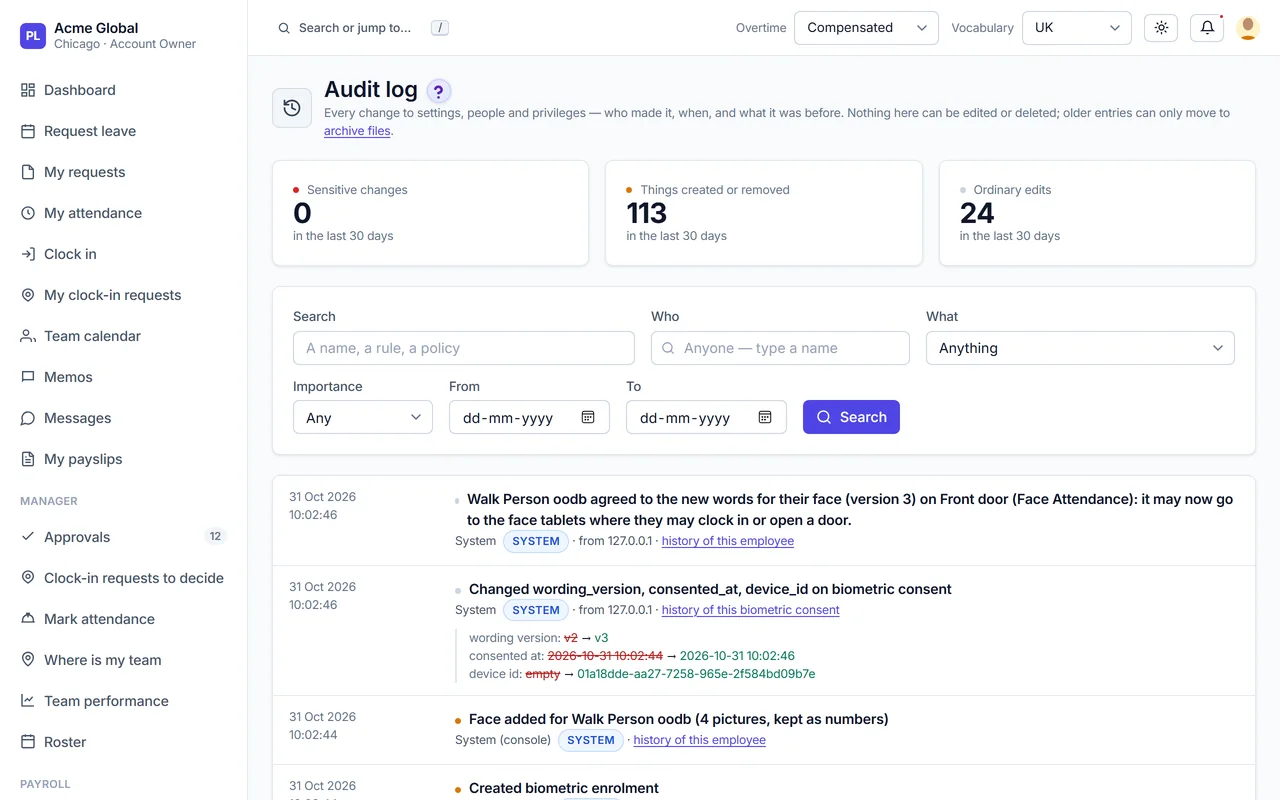
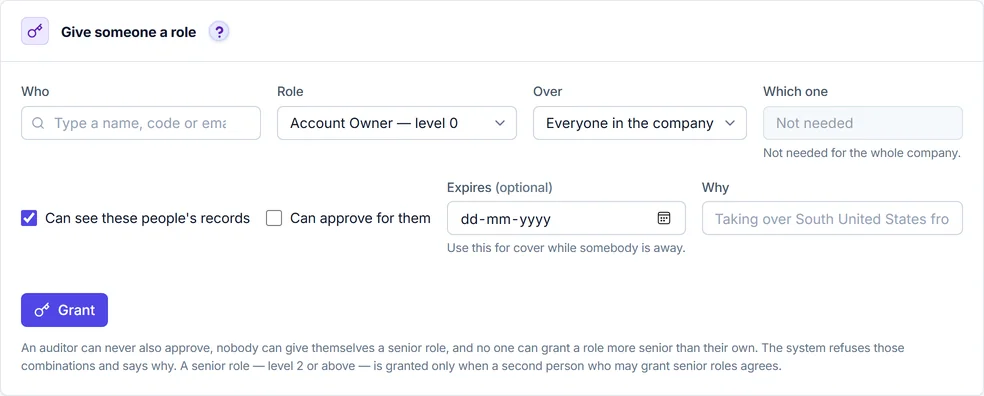
app.planmyleave.com/audit-log
PlanMyLeave audit log (placeholder screenshot) 13
2
4

Shown: PlanMyLeave's audit log, role access and nightly locking.

D · Access & records

Access control and a record nobody can change

Who did what, when, and who allowed it.

Shared passwords and one admin who can do everything are how small problems become big ones. We give each person only what their job needs, ask a second person to approve sensitive changes, and keep a record an auditor can trust.

  • 1Sensitive changes are flagged. Pay, bank details and roles are recorded at a higher level and reported separately.
  • 2Access by role. With an end date when access is only for a while.
  • 3Even viewing is recorded. Opening someone's personal record leaves a line in the log.
  • 4Locked every night. Anyone can check that yesterday's records were not changed.
E

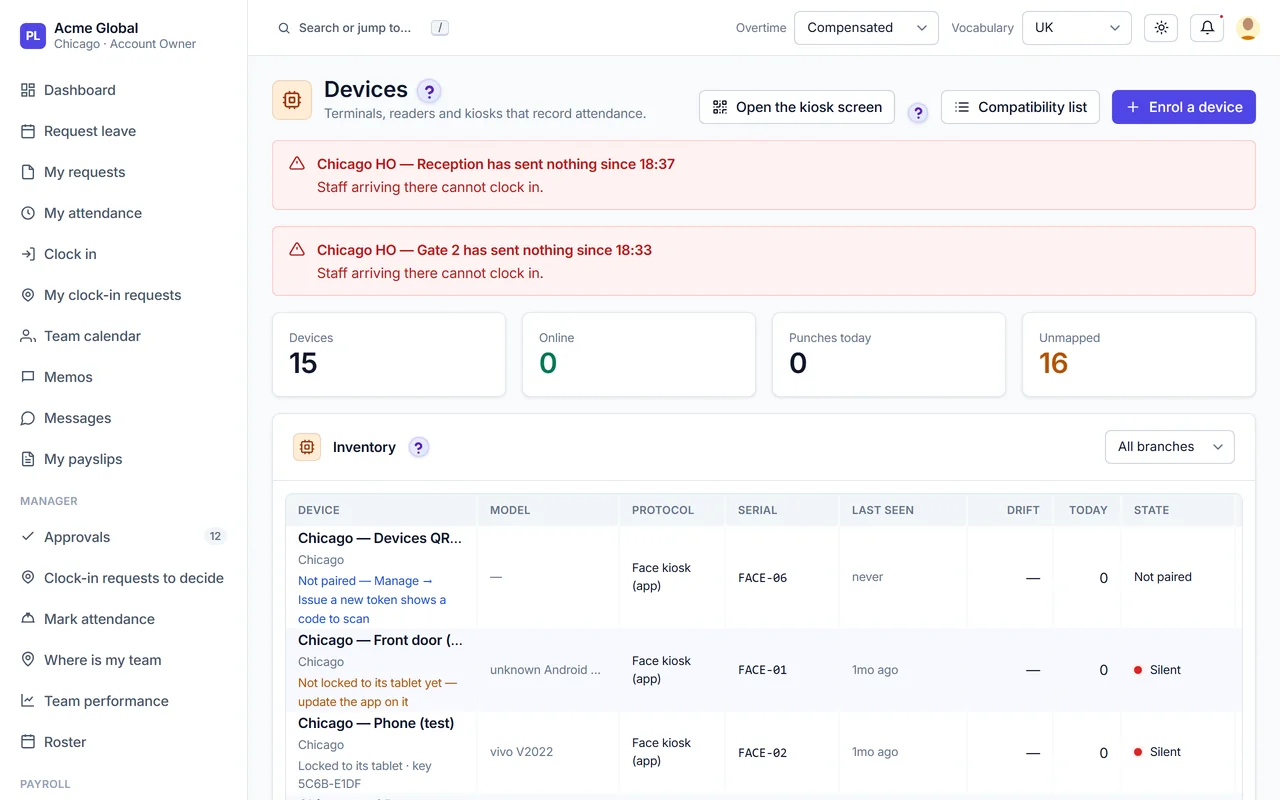
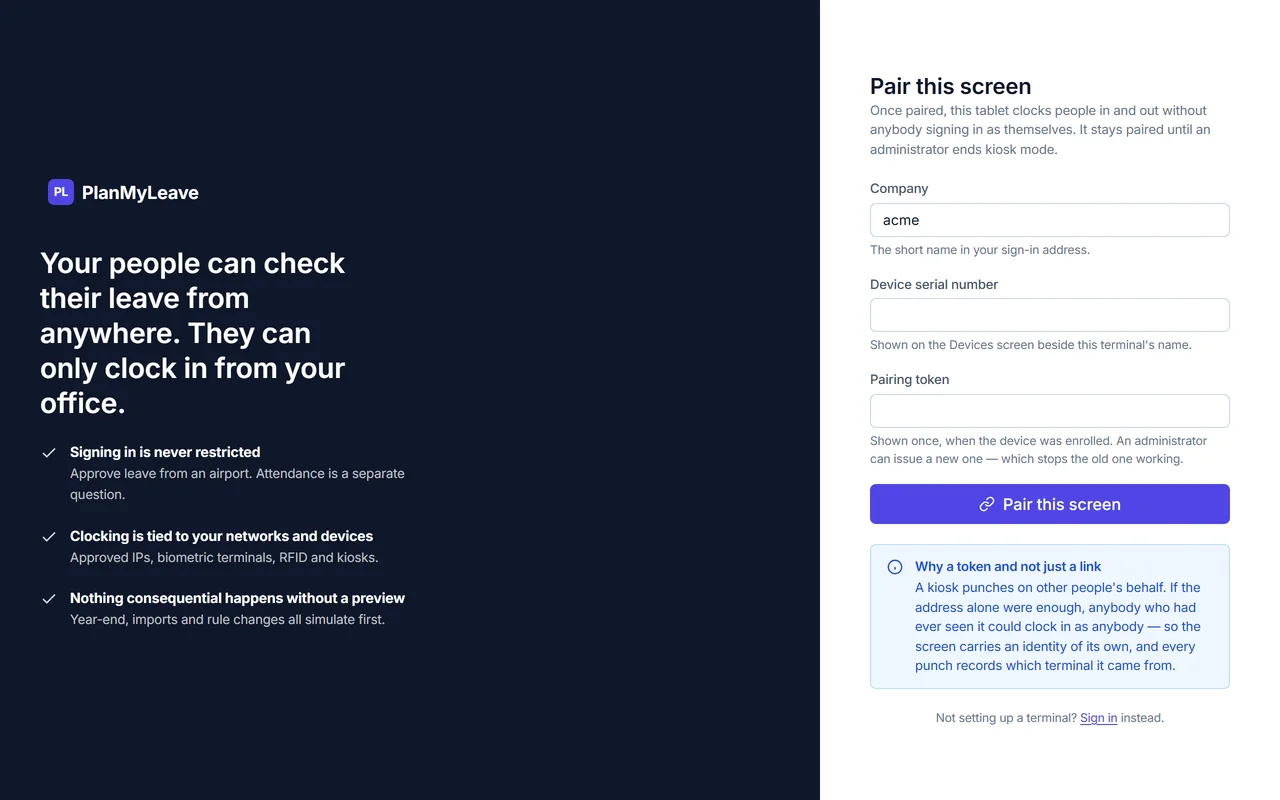
Works with your hardwareFingerprint readers, kiosks and door relays connect straight to the system.

app.planmyleave.com/devices
PlanMyLeave devices (placeholder screenshot) 12

Shown: PlanMyLeave's device list, with the kiosk tablet screen in front.

E · Devices

Connected to your devices

Online systems that work with readers, kiosks and doors.

Many web systems stop at the screen. Ours often connect to fingerprint readers, door locks or warehouse scanners, because we build hardware too and know what goes wrong at a site gate at 6 am.

  • 1Silence is an alarm. If a terminal stops sending, you know before anyone misses a clock-in.
  • 2Every device in one list. Each one with its site, model and last contact.
  • Works with the readers you already have. ZKTeco, eSSL and Hikvision terminals, NFC tags and kiosk tablets.
  • Doors and relays. Opened from the app and recorded like any other action.
F

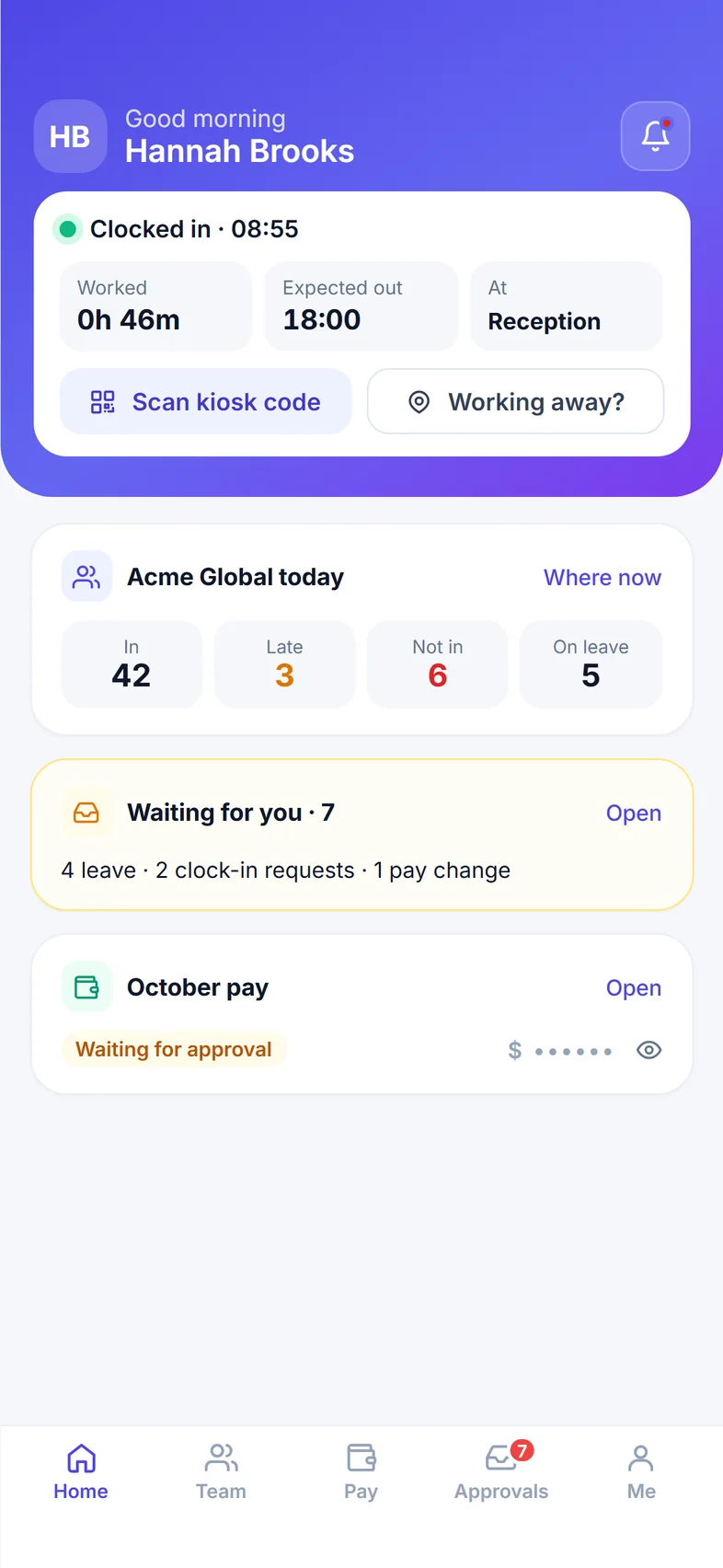
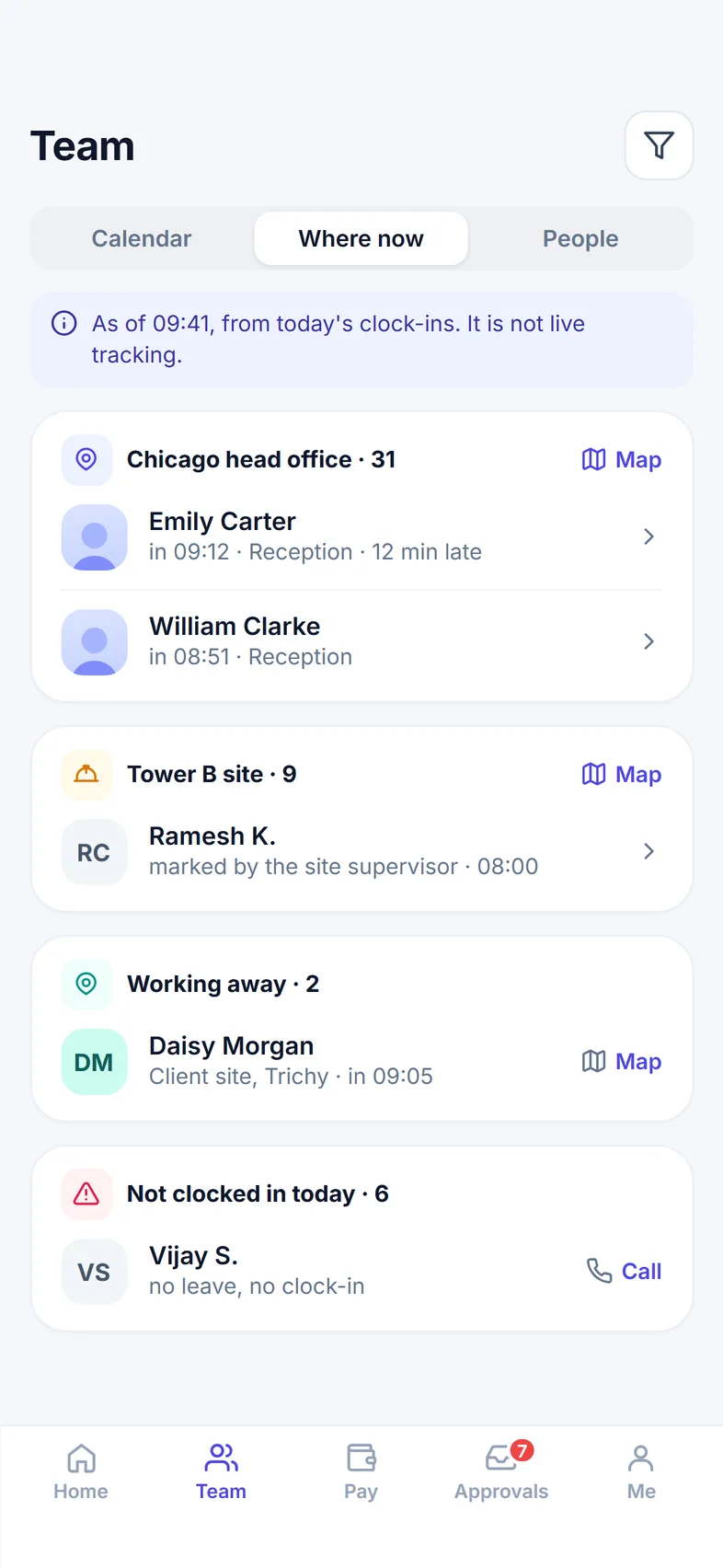
On any phoneThe same system on iPhone and Android, with the same rules as the website.

PlanMyLeave phone app, home (placeholder screenshot)
9:41
PlanMyLeave phone app, where is my team (placeholder screenshot)
9:41
✓
Clocked in · ReceptionScanned the kiosk code

Shown: PlanMyLeave's phone app (it runs on iPhone and Android).

F · Mobile

The office in their pocket

The same system, made for a phone.

Every web system we build also works on the phone, as a mobile site or an app. Managers approve between meetings, staff check their leave and payslips, and site teams clock in without queuing at a terminal.

  • Approve from anywhere. With the same rules as the website.
  • Clock in by scanning. A kiosk code, an NFC tag or the office Wi-Fi.
  • See where your team is. Who is in, who is late and who is at another site.
  • Notifications that open the right screen. Nobody has to go looking.
G

Ready to sellTurn your system into a product for other companies, without custom code for each one.

app.planmyleave.com/settings/attendance-rules
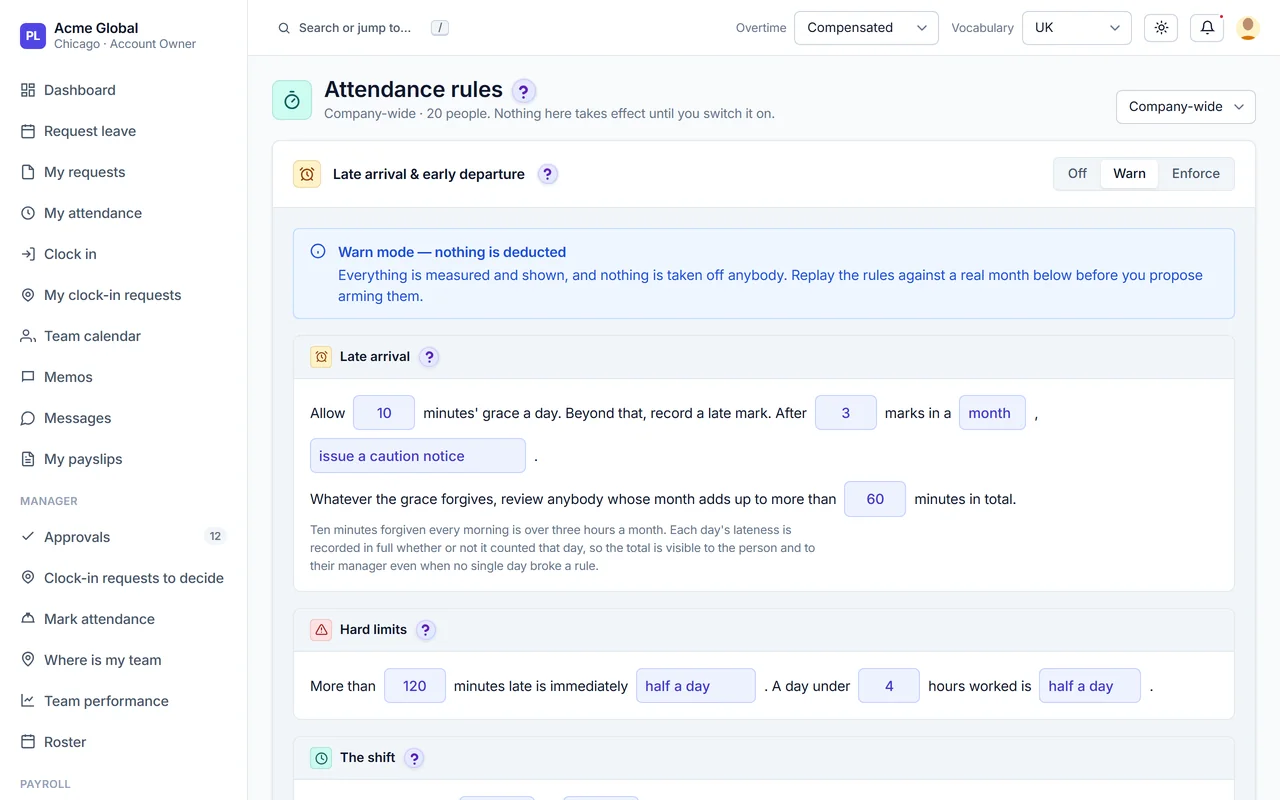
PlanMyLeave attendance rules (placeholder screenshot) 12

Shown: PlanMyLeave's attendance rules for one company.

G · Platform

One system, many customers

For when your software is the product you sell.

If you plan to sell your system to other companies, each customer will want to work their own way. We build it so rules, plans and even the words on screen are settings, not custom code.

  • 1Each customer sets their own rules. Grace minutes, limits and penalties are settings.
  • 2Try a rule before using it. A warning mode shows what a rule would do before anyone loses pay.
  • Plans and limits as settings. Turn features on per plan or per customer from one control panel.
  • Customers kept apart. Each company's data is separate, with its own key for the most sensitive details.

Technology

Tools chosen to last

We use well-known, well-supported tools, so your own team or another company could take over later. No unusual frameworks and no lock-in.

Screens
React · Next.js
Vue · Nuxt
Blade with Alpinefor light, fast pages
TypeScript
Tailwind CSS
Server
LaravelPHP 8.4
Node.js · NestJS
ASP.NET Core
PythonDjango, FastAPI
Data
PostgreSQL
MySQL · MariaDB
Redisqueues and speed
OpenSearchfast search over millions of records
Hosting
AWS · Azure · DigitalOcean
Servers in your countrywhen data must stay in the country
Docker · Nginx
GitHub Actions
Connects to
Microsoft Entra ID · Googleone sign-in for staff
SAP · Oracle · Odoo · Zoho
Network International · Stripe · PayPal
WhatsApp Business
ZKTeco · Hikvision

Industries

Web applications we build for each industry

Healthcare

Clinics and practices

Billing for visiting doctors, patient portals, and tracking referrals and lab results.

Construction & facilities

Many sites, one view

Attendance across sites, payments to subcontractors, snag lists and handover records.

Logistics

Shipments and paperwork

Tracking pages for customers, customs paperwork, and yard and dock booking.

Oil & gas

Safety and contractors

Work permits, contractor sign-up and skills, inspection and safety records.

Aviation maintenance

Records that pass audits

Task cards, tool and calibration tracking, technician training and approvals.

Professional services

From quote to payment

Quotes and invoices, timesheets, client portals and document approval.

Ways to work with us

01

Fixed-price project

For a clear first version. A short paid planning stage fixes the price, and you see working software every two weeks.

02 · most chosen

Dedicated team

A product lead, developers and a tester who work as part of your company, month by month. Change direction whenever your business does.

03

Support plan

Hosting, monitoring, security updates and small changes, on a yearly contract with agreed response times.

Questions

About web applications

How long does a first version take?

Most first versions take eight to fourteen weeks, depending on how many roles and connections are needed. You see working screens after the first two weeks.

Can it run on our own servers, or in our own country?

Yes. We can install it on your servers, on cloud servers in your country when the data must stay there, or on hosting we manage for you.

Will it work properly in Arabic?

Yes, both the screens and the documents, with right-to-left layouts and Arabic fonts in the PDFs.

Can you connect it to SAP, Oracle or our accounting system?

Usually yes, through the connection options your system offers. We check what your version allows during planning, before we promise anything.

What if you are no longer around?

You hold the code, the documents and the server access from the first release. The tools are widely used, so any good team can continue the work.

Nothing matches that. Ask us directly below.

Start a web application

Tell us about the spreadsheet you want to replace

The web team replies within one working day.

Start a project WhatsApp

Our offices

Dubai · UAEKennoys IT Solutions LLC

Nabila Lootah Building
Naif, Dubai
United Arab Emirates

+971 55 864 8979Sales sales@kennoys.com
Support support@kennoys.com
London · UKKennoys IT Solutions LLC

Strata Road
London DA8 1FL
United Kingdom

+44 7498 211444Sales sales_uk@kennoys.com
Support support_uk@kennoys.com
Kerala · IndiaKennoys IT Solutions

Near Mymoon Theater, Kacherippady
Ernakulam, Kerala
India

+91 93886 32667Sales sales_india@kennoys.com
Support support_india@kennoys.com